
ForgeCut by Forgeborn
ForgeCut: edit videos by chatting, or by hand
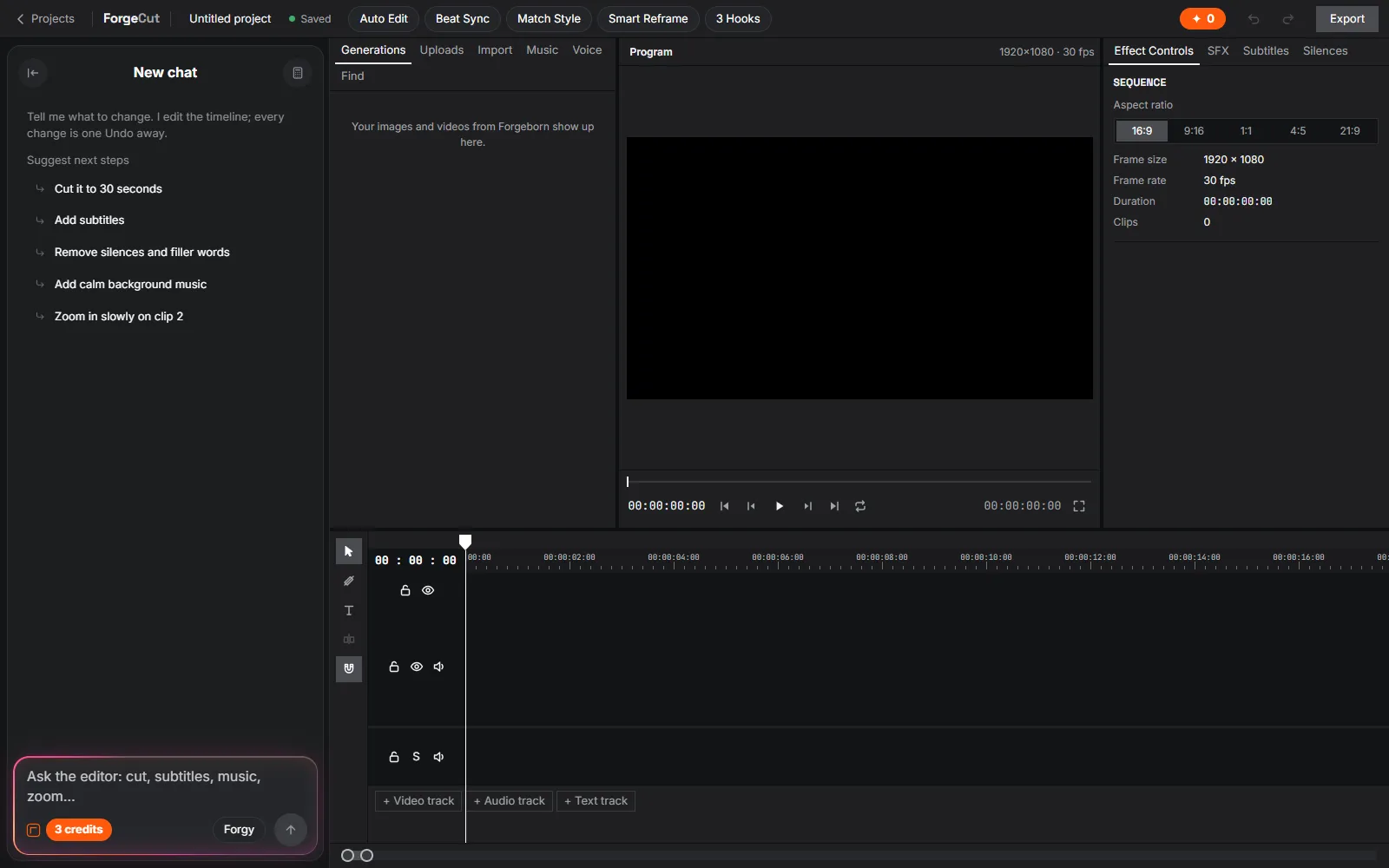
ForgeCut is a timeline video editor in the browser with an AI editing agent beside it. Ask it for a change in plain words — trim the pauses, add captions, make a vertical cut — or edit the timeline yourself.
One-click tools make a first cut from raw clips, cut to the beat, reframe for any shape and write new openings, and every change is one step you can undo.
What ForgeCut does
Editing agent
Chat with the editor: it reads your timeline and makes the changes. Big changes show their plan first and are applied only when you accept.
Captions
Subtitles from the speech in your clips, placed on the timeline and styled like the rest of your text.
Auto Edit
A first cut from your raw clips: the best take of every line and the liveliest moments, cut to the length you choose.
Beat Sync
Finds the beats of your music and puts the cuts on them, trimming or extending clips as needed. Finding the beats is free.
Smart Reframe
Changes the shape of the project (for example 16:9 to 9:16) and keeps faces or the main subject in the frame with a smooth crop.
3 Hooks
Three new openings for the first seconds, made from your own footage; the one you pick replaces the opening.
Background playback
The preview keeps playing, in sync, when you switch to another tab, and picks up where it was when you come back.
Export
Render the finished video at the resolution you choose and download it.
How to use ForgeCut
- Create a projectStart a ForgeCut project and add your clips, music and pictures — or send shots from ShotLab.
- Ask or editTell the agent what you want, or use the timeline and the tools (Auto Edit, Beat Sync, Smart Reframe, 3 Hooks).
- Add captions and textMake subtitles from the speech and add titles.
- ExportCheck the price, render and download the video.
ForgeCut pricing
- Editing the timeline by hand is free.
- Agent messages, paid analyses (for tools that need them) and exports use credits; each price is shown and confirmed before anything paid runs, and cancelled paid work is refunded.
- Plans and credit packs are on the pricing page.
ForgeCut FAQ
What is ForgeCut?
ForgeCut is Forgeborn’s browser video editor with an AI editing agent and one-click tools such as Auto Edit, Beat Sync, Smart Reframe and 3 Hooks.
Can it add subtitles?
Yes. ForgeCut makes captions from the speech in your clips and puts them on the timeline, where you can edit and style them.
Can I turn a horizontal video into a vertical one?
Yes. Smart Reframe changes the project’s shape and keeps faces or the main subject in the frame.
Does it work with ShotLab?
Yes. ShotLab’s Send to ForgeCut puts your shots onto a ForgeCut timeline for free.
Is ForgeCut free?
Manual editing is free. Agent messages, paid analyses and exports use credits from your plan or a credit pack, and you see each price before it runs.
Ready to try ForgeCut?
Open ForgeCut